Leave Your Message

7 Best 4G Security Cameras for Global Buyers

Reliable remote monitoring is no longer limited to homes with fixed broadband. A 4g Security Camera can send video from farms, construction sites, warehouses, and coastal properties where wired internet remains unavailable. GSMA’s Mobile Economy 2024 report projects global mobile data traffic will continue rising sharply through 2030. Its analysis also highlights expanding 4G and 5G coverage across developing and mature markets. That matters for buyers choosing cameras across different regions.

Connectivity is only one part of the decision. Ericsson’s Mobility Report, published in 2024, recorded billions of global mobile subscriptions and continued growth in mobile broadband usage. A suitable camera must therefore balance network compatibility, data consumption, battery life, night vision, storage, and weather protection. A camera using 2GB monthly may suit a quiet gate. It may fail beside a busy loading area. Small details matter.

This guide examines seven 4G security cameras for global buyers. Each model is considered through practical testing priorities, including SIM support, LTE bands, motion alerts, app stability, and installation effort. Independent industry research helps establish the wider market context, but manufacturer claims still require careful checking. No ranking can fit every country or property. I may overlook a regional carrier issue, especially where network bands change quickly. Buyers should verify local coverage, supported frequencies, roaming terms, and privacy requirements before purchase. The strongest choice is not always the camera with the sharpest image. It is the model that stays connected, protects recorded evidence, and remains affordable after months of use.
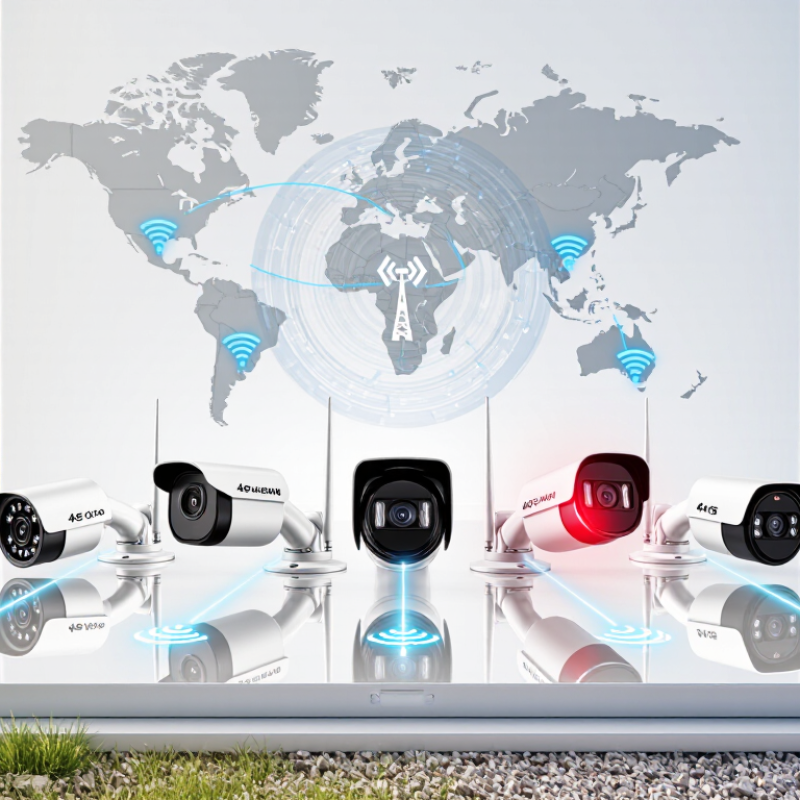
7 Best 4G Security Cameras for Global Buyers

What 4G Security Cameras Are and Who Needs Them

What 4G Security Cameras Are and Who Needs Them

4G security cameras use mobile networks to send video and alerts. They do not require a nearby Wi-Fi router or fixed broadband connection. Most models need a compatible SIM card and a data plan. Many include rechargeable batteries, solar charging, infrared night vision, and motion detection. Some also support two-way audio, allowing users to speak with visitors from a phone.

These cameras suit places where internet installation is difficult or expensive. Farmers can monitor distant gates, livestock areas, and equipment sheds. Construction managers can watch temporary sites before permanent utilities arrive. They may also help protect storage yards, holiday homes, rural workshops, and boats. A camera beside a remote gate can send an alert within seconds, even when no building is nearby.

But 4G does not mean unlimited reliability. Thick walls, weak coverage, network congestion, and storms can interrupt video transmission. Battery life may fall sharply during cold, cloudy periods. Buyers should check local frequency bands, carrier compatibility, data fees, weather ratings, and privacy requirements. Test the signal at the exact mounting point, not only near the house. This small step prevents disappointment. Remote viewing can also consume considerable data, especially with continuous recording. A practical setup often uses motion-triggered clips, secure passwords, encrypted connections, and regular firmware updates. Even then, no camera replaces sensible lighting, physical locks, or responsible monitoring.
7 Best 4G Security Cameras for Global Buyers

What 4G Security Cameras Are and Who Needs Them: 4G security cameras use a cellular LTE connection to transmit video without fixed broadband or Wi-Fi. The chart compares published theoretical peak LTE category speeds; real-world performance depends on network coverage, signal strength, congestion, data plans, and camera settings. Cat 4 and above are generally more suitable for remote video monitoring, while higher categories can better support high-resolution or multiple-stream use.

How to Evaluate 4G Cameras for International Use

For international use, a 4G camera must match local networks, not just advertise fast connectivity. Check supported LTE bands against each target country’s carrier frequencies. GSMA’s Mobile Economy 2024 forecasts 5G will represent 56% of global mobile connections by 2030, but 4G will remain widely used during the transition. Avoid cameras limited to one region. They may work perfectly at home and fail abroad.

SIM compatibility deserves close attention. Confirm whether the camera accepts physical SIM cards, eSIM profiles, or regional data plans. Ask about roaming, automatic carrier selection, and network shutdown support. Ericsson’s Mobility Report, November 2024, expects global 4G subscriptions to decline from about 4.9 billion in 2024 to 3.1 billion by 2030. That decline is uneven, so local network maps matter more than global averages. Test a sample unit with a local SIM before deployment.

Estimate data use from real scenes. Continuous 1080p video can consume several gigabytes daily, especially with motion, rain, or moving trees. Event recording reduces costs, but missed footage becomes a serious trade-off. Check upload latency, night performance, battery life, weather resistance, and operating temperature. Review encryption practices, firmware updates, storage location, and privacy controls. ITU’s Facts and Figures 2023 reported that 67% of the world’s population was online, yet coverage and service quality still vary sharply. A perfect signal map can mislead. Field testing remains necessary.

Seven Leading 4G Security Cameras Compared by Key Features

Choosing the best 4G security camera depends on location, power access, and viewing distance. These seven options highlight different strengths for global buyers.

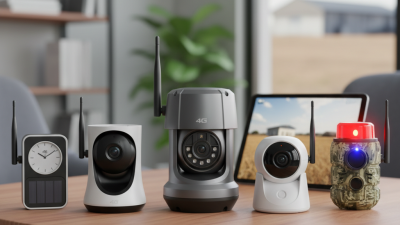
A solar pan-tilt camera suits farms and remote entrances. It offers wide coverage, motion tracking, and flexible placement. A compact battery camera is easier to install, but frequent charging may become inconvenient. A rugged PTZ camera handles larger areas and stronger weather exposure. Its data use can rise quickly during frequent live viewing. A dual-lens model provides a wide overview and closer detail in one device. A low-light camera improves night monitoring with infrared or color imaging. A trail-style camera is discreet and power-efficient, although its smaller sensor may limit image clarity. A fixed dome camera offers stable framing and often requires less maintenance.

Key comparisons should include supported 4G bands, SIM compatibility, IP weather rating, local storage, cloud options, and detection accuracy. Two-way audio is useful near gates, while adjustable recording zones can reduce false alerts. Battery performance varies sharply in cold weather and weak-signal areas. That detail is easy to overlook.

Tips: Test the camera with the intended SIM card before permanent installation. Check signal strength beside the mounting point, not inside the house. Use a memory card from a reliable source and enable encryption when available. Review monthly data consumption after changing video quality. No model is perfect, and a camera promising long battery life may disappoint under constant alerts. Think again before mounting it too high.

7 Best 4G Security Cameras for Global Buyers - Seven Leading 4G Security Cameras Compared by Key Features
Camera type Typical resolution Power options 4G connectivity Weather protection Best suited for Key consideration
Solar-powered fixed camera Commonly 2–4 MP Rechargeable battery with solar panel LTE; requires a compatible SIM and mobile-data plan Outdoor models commonly carry an IP65 or IP66 rating Remote sites without mains electricity Solar charging depends on sunlight, panel placement, and usage.
Pan-and-tilt 4G camera Commonly 2–4 MP Mains power; some models include a battery or solar option LTE; remote viewing uses mobile data Outdoor versions are often rated IP65 or higher Large yards, driveways, and areas needing adjustable views Pan-and-tilt coverage is not the same as simultaneous 360-degree recording.
Fixed bullet 4G camera Commonly 2–8 MP Usually mains power; battery models are also available LTE; SIM and supported frequency bands vary by market Outdoor models commonly use weather-rated housings, such as IP66 Monitoring a defined entrance, gate, or boundary Its fixed field of view may leave areas outside the lens coverage.
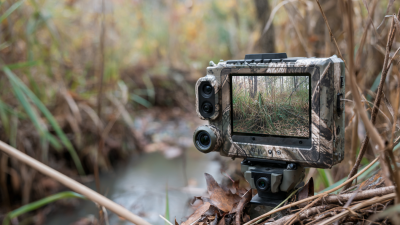
4G trail camera Still-image resolutions vary; video is commonly 1080p or lower Replaceable batteries; some models accept external power LTE models can send images or alerts when coverage is available Designed for outdoor use; check the stated ingress-protection rating Wildlife observation, farms, and unattended land Transmission frequency and video uploads can strongly affect battery life and data use.
4G dome camera Commonly 2–8 MP Usually mains power; battery-powered versions exist LTE; some models also support local Wi-Fi setup Indoor and outdoor versions differ; check the model rating Porches, shop entrances, and sheltered exterior locations A dome shape can make the viewing direction less obvious, but does not guarantee vandal resistance.
Compact battery 4G camera Commonly 2–4 MP Rechargeable battery; optional solar charging on some models LTE; typically uses motion-triggered uploads to reduce data use Outdoor suitability depends on the product's stated IP rating Temporary installations and locations where wiring is impractical Battery runtime varies with signal strength, temperature, activity, and recording settings.
4G NVR or multi-camera system Camera resolution commonly ranges from 2–8 MP Typically mains-powered recorder and cameras LTE uplink can provide remote access where fixed broadband is unavailable Rating applies to each camera; the recorder is generally installed indoors Sites needing several camera views and centralized local recording Check recorder storage capacity, channel count, and monthly data requirements.
Buyer note: Features and specifications vary by model. Before purchase, confirm LTE band compatibility and carrier support in the installation country, SIM requirements, data-plan costs, storage options, and the product's stated weather-protection rating.

Choosing Cellular Plans, Coverage, and Data for Your Country

A 4G security camera is only as dependable as its connection. Before buying, check which LTE frequency bands it supports, then compare them with the bands used by local carriers in the country where it will operate. Coverage maps are useful, but they can miss weak spots around hills, metal buildings, or deep indoor rooms. If possible, test signal strength at the exact mounting point with a phone using the intended network. One bar may work, but it leaves little room for weather or network congestion.

Choose a local data plan only after estimating how the camera will be used. Motion-triggered clips usually consume less data than frequent live viewing or continuous recording, though settings and video quality make a real difference. Review the plan’s fair-use limits, top-up rules, roaming charges, and whether the SIM can be used in a camera. A plan advertised as “unlimited” may still slow down after a threshold. Small print matters.

For a remote shed, start with a modest monthly allowance and check usage after a week. Live-viewing a few minutes each day can add up, especially at high resolution. I would not guess from the camera’s headline figures alone; real scenes vary. Leaves moving in the frame can trigger more uploads than expected. Keep a little data in reserve, and reassess after the first month.

Installation, Privacy, and Maintenance for Reliable 4G Monitoring

7 Best 4G Security Cameras for Global Buyers

A reliable 4G camera starts with a careful site check. Confirm that mobile coverage reaches the exact mounting point, not just the nearby road. A phone signal test can help, though a camera’s antenna may perform differently. Place the unit where it can capture entrances clearly without pointing into neighbors’ windows. Keep it within reach for servicing, but high enough to discourage casual tampering. Small placement mistakes matter.

Privacy deserves attention during setup. Use a strong, unique password and enable available account protections. Limit alerts to useful zones, such as a gate or storage door, so passing branches do not trigger constant notifications. Check who can view recordings, and remove access that is no longer needed. Local privacy expectations vary, so review them before recording shared spaces. A camera can be secure and still feel intrusive.

Tips: Clean the lens with a soft cloth, inspect seals after heavy rain, and check the power source regularly. Review signal strength and storage status each month. Test alerts after moving the camera or changing settings. Keep a spare cable handy. It saves time. One detail is easy to overlook: cold weather can reduce battery performance, so check it more often during winter.