Leave Your Message

How to Choose a 4G Security Camera in 2026?

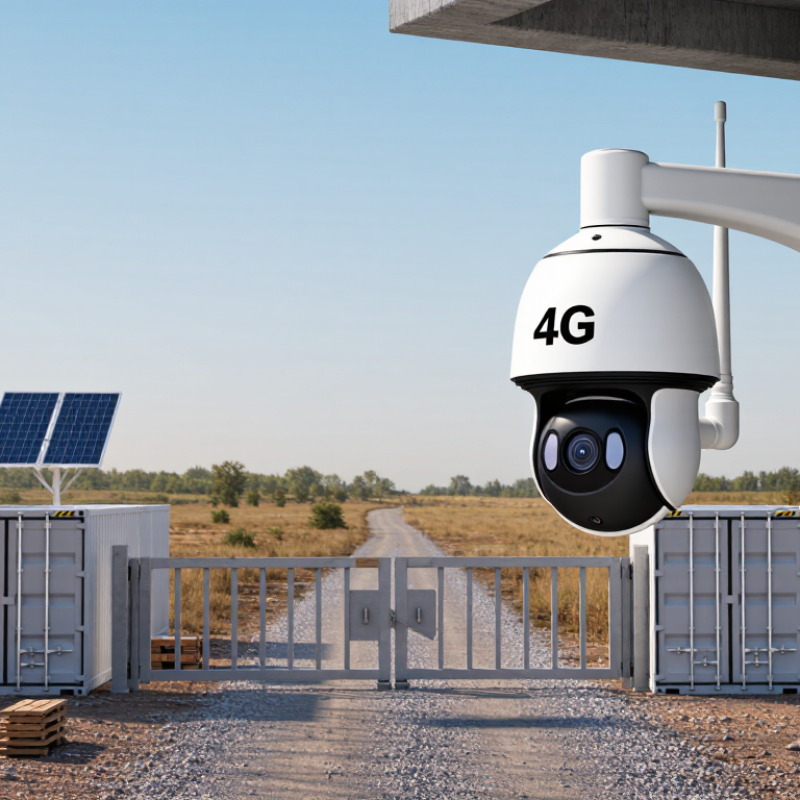
Choosing a 4G Security Camera in 2026 requires more than comparing resolution, storage, and advertised battery life. Remote farms, construction sites, and roadside facilities often lack fixed broadband. A cellular camera can turn an isolated gate into a visible, responsive checkpoint. Ericsson’s Mobility Report forecasts continued growth in cellular IoT connections through 2029, showing why mobile connectivity remains important for monitoring equipment. GSMA Intelligence’s The Mobile Economy 2025 also highlights expanding mobile network coverage and enterprise IoT adoption. The opportunity is real. So are the compromises.

Begin with the location, not the product page. Check local 4G coverage at the exact mounting point. A strong signal beside the office may disappear behind concrete walls or metal storage tanks. Confirm supported LTE bands and test upload stability during busy hours. Then examine power needs. A solar panel facing winter shade may not sustain frequent motion alerts. Battery performance also changes sharply in cold weather. These details are easy to miss.

Security deserves equal attention. Look for encrypted video transmission, secure account controls, signed firmware updates, and clear data-retention settings. Review the manufacturer’s support history and published privacy practices. Independent tests from AV-TEST, UL Solutions, or recognized telecom laboratories can provide useful evidence, although coverage varies by region. IP66 protection helps against dust and rain, but it does not guarantee survival in every environment. No specification sheet predicts every field failure. That is why this guide compares network performance, power design, image quality, storage options, and long-term reliability before recommending a 4G Security Camera for 2026.
How to Choose a 4G Security Camera in 2026?

What a 4G Security Camera Is and How It Works

A 4G security camera is an internet-connected camera that uses a mobile network instead of home broadband. It needs a compatible SIM card and an active data plan. The camera captures video, compresses it, and sends clips through nearby 4G towers. You can view live footage from a phone, even where no router exists. This makes it practical for farms, construction sites, cabins, and temporary property monitoring. No Wi-Fi needed.

Most models combine an image sensor, microphone, speaker, motion detection, and local storage. When movement appears, software analyzes changing pixels or recognizes human shapes, then sends an alert. Some cameras save recordings to a memory card, while others upload them to secure remote storage. Check whether data is encrypted during transmission. Strong passwords and multi-factor authentication also matter. Night vision helps, but glare, rain, and spider webs can trigger alerts. It is not magic.

When choosing one in 2026, test the intended location with the carrier’s actual 4G signal, not a coverage map alone. Look for adjustable recording quality, reasonable data use, weather protection, and a battery matched to local sunlight and temperature. A short trial can reveal weak reception or delayed notifications. Battery claims are often optimistic. I would also check update support, storage fees, privacy controls, and recovery options if the camera is stolen. Reliable performance depends on installation, network congestion, and maintenance, not specifications alone.

How to Choose a 4G Security Camera in 2026? — What a 4G Security Camera Is and How It Works

Selection factor What it means Practical guidance
What a 4G security camera is A camera that sends video, alerts, and other data over a 4G cellular network using a SIM or embedded SIM. It can monitor a location without a fixed broadband connection, provided cellular service and suitable power are available.
How it works The camera captures video, encodes it, and transmits selected footage or a live stream through the cellular network to an app or recording service. Check whether the camera supports live viewing, motion-triggered uploads, remote playback, and the storage method you need.
Coverage and band support 4G availability and supported frequency bands differ by country, carrier, and location. Signal quality can also vary within a site. Verify the camera’s supported bands against local carrier information and test signal strength at the intended mounting position.
SIM and data plan The camera needs an active cellular service plan. Data consumption depends mainly on video bitrate, viewing time, upload frequency, and settings. Confirm SIM compatibility, coverage, plan limits, roaming rules, and whether the device is locked to a particular network.
Illustrative data use At a steady 1 Mbps video bitrate, continuous streaming uses about 10.8 GB per day or 324 GB over 30 days. One hour at that bitrate uses about 0.45 GB. These are calculated estimates, not fixed camera figures. Motion-based uploads and occasional live viewing can use much less than continuous streaming.
Video quality and bitrate Resolution, frame rate, compression, and scene movement affect image detail and the amount of data transmitted. Choose settings that balance identification needs, available signal, and data allowance; higher resolution alone does not guarantee clearer footage in every condition.
Storage and recording Footage may be stored on a memory card, a network recorder, or a remote service, depending on the camera’s capabilities. Local recording can reduce cellular uploads, but remote viewing or cloud uploads still require data. Check recording duration, card support, and subscription requirements.
Power source A camera may use mains power, a rechargeable battery, or a solar-assisted setup. Cellular transmission and frequent recording affect energy use. For remote sites, compare battery capacity, expected recording activity, charging access, and solar-panel conditions rather than relying on a single advertised runtime.
Motion detection and alerts Detection can trigger notifications or recordings. Sensitivity, detection zones, and environmental movement influence alert frequency. Look for adjustable zones and sensitivity, then test them on site to limit unwanted alerts and unnecessary data use.
Weather and installation Outdoor suitability depends on enclosure rating, temperature limits, mounting, and exposure to rain, dust, and direct sunlight. Check the stated environmental ratings and install the camera where its lens, antenna, and power supply are protected as specified.
Best-fit use case Remote buildings, temporary sites, farms, construction areas, and other locations where reliable fixed internet is unavailable. Choose a 4G camera when cellular coverage is dependable and its power, data, storage, and environmental requirements fit the site.

Data-use figures are approximate and use decimal gigabytes; actual consumption varies with camera settings, compression, network behavior, and usage.
Assessing Network Coverage, SIM Cards, and Data Requirements

How to Choose a 4G Security Camera in 2026?

Network coverage matters more than a camera’s advertised resolution.

The GSMA Mobile Economy 2024 report estimates that 4G represented about 60% of global mobile connections in 2023. However, coverage can weaken inside concrete buildings, garages, and rural valleys. Test the exact mounting point, not the nearby street. Check upload speed, latency, and signal stability during busy evening hours. A camera may show full bars yet upload unreliable footage. I have seen this mistake waste installation time.

SIM cards also need careful checking.

Choose a data-enabled SIM with a suitable access point configuration. Confirm whether the camera accepts standard, micro, or embedded SIM formats. Review roaming rules, network shutdown plans, and monthly data limits. The Ericsson Mobility Report forecasts mobile data traffic to grow strongly through 2030, with video remaining a major driver. Your camera adds to that pressure.

Tips

Estimate data before buying. A 1080p stream using 0.8 Mbps can consume roughly 259 GB monthly when running continuously. Motion recording at 10% activity may use about 26 GB, but night scenes and repeated alerts can increase consumption. Use lower frame rates, efficient compression, and activity zones. Keep a buffer of at least 30%. That number is imperfect. Real footage varies. Check one week of actual usage before choosing a long-term plan.

Choosing Video Quality, Night Vision, and Detection Features

For a 4G security camera, choose image quality for the scene, not the largest number on the box. A 1080p image can show a face near a gate, but moving subjects, compression, and weak signal can blur details. Check recorded clips at the distance you expect to monitor. A useful test: read a small label across the yard. If you cannot, more advertised resolution may not help. Ericsson’s June 2024 Mobility Report recorded 25% year-on-year growth in global mobile network data traffic in the first quarter. That figure is not a camera-speed test, but it is a reminder that network capacity varies. Try live view where the camera will sit, especially at busy hours.

Night vision needs a separate check. Infrared can make a dark driveway visible, yet reflective plates or nearby walls may appear washed out. Look for sample footage at your actual range, and check whether the camera switches modes smoothly. Small detail. Test it. Detection matters just as much: person or vehicle filtering can reduce alerts from rain, insects, or swaying branches, but no setting is perfect. Walk across the frame, pause, then approach from the edge. Review which events trigger alerts. I still find detection zones easy to set too narrowly; a person can enter from an unexpected corner. Adjust sensitivity and zones gradually, then compare several nights of recordings before relying on them.

Comparing Power Options, Storage Methods, and Weather Protection

How to Choose a 4G Security Camera in 2026?

Power choice affects every other camera decision. A wired model suits a fixed location with reliable electricity. Battery models are easier to install, but frequent motion alerts can drain them quickly. Solar charging helps, yet shaded balconies and winter clouds reduce its value. In field checks, a camera facing a busy driveway needed charging far sooner than expected. That detail is easy to miss. Choose a replaceable battery when climbing a ladder is difficult. Check whether the camera continues recording during charging, too.

Storage needs equal attention. Local microSD storage avoids monthly fees and can preserve footage during network interruptions. However, a stolen or damaged camera may also take its recordings. Cloud storage protects against that problem, but requires a stable 4G plan. Some cameras support both methods, which is safer for important entrances. Set motion zones carefully. Otherwise, rain, trees, and passing headlights may fill the card with useless clips.

Weather protection is more than an IP rating. Look for sealed ports, UV-resistant housing, and an operating temperature suitable for your region. IP66 may resist strong water jets, while IP67 adds temporary immersion protection. Neither rating guarantees perfect performance after years of sunlight. Mount the camera under a small roof, but do not block its view. Leave space around the lens to reduce condensation. I would also test night footage after installation, because glare from a nearby wall can quietly ruin useful evidence. No setup is perfect. Recheck it after storms.

Checking Installation Needs, Security Standards, and Total Cost

Choosing a 4G security camera in 2026 starts with the installation site. Measure signal strength at the mounting point, not beside the window. A rural gate may need an external antenna, weatherproof housing, and a stable power source. Battery models require realistic testing in winter. Motion alerts can increase energy use sharply. According to GSMA Intelligence, mobile data traffic is expected to keep rising through 2030, so coverage alone does not guarantee reliable service. Test uploads during busy hours.

Security standards deserve equal attention. Look for encrypted data in transit, secure boot, signed firmware, and unique passwords. NISTIR 8259 recommends device identification, configuration control, data protection, and software updates for IoT products. Ask how long updates will continue. Ask who can access recordings. The answer should be specific, not marketing language. A camera with many features may still have weak account protection. That is an uncomfortable trade-off.

Calculate the total cost over three years. Include the camera, mounting hardware, SIM activation, monthly data, cloud storage, batteries, and replacement labor. A low purchase price can hide expensive data usage. The 2024 Data Breach Investigations Report found that the human element remained involved in most breaches, exceeding 60 percent. Strong access controls matter. My checklist is not perfect. I would still test one unit for a week before installing ten. The cheapest option may become the most expensive mistake.

How to Choose a 4G Security Camera in 2026?

Estimated 30-day cellular data usage for continuous video streaming

The estimates are calculated from the video bitrate using 30 days of continuous streaming: data usage ≈ bitrate × 2,592,000 seconds ÷ 8. A 1 Mbps stream uses approximately 324 GB per month, while event-triggered recording can reduce consumption substantially. When choosing a 4G camera, also verify local network coverage, power availability, encrypted connections, signed firmware, unique passwords, automatic security updates, and the combined cost of the camera, installation, storage, and cellular data plan.